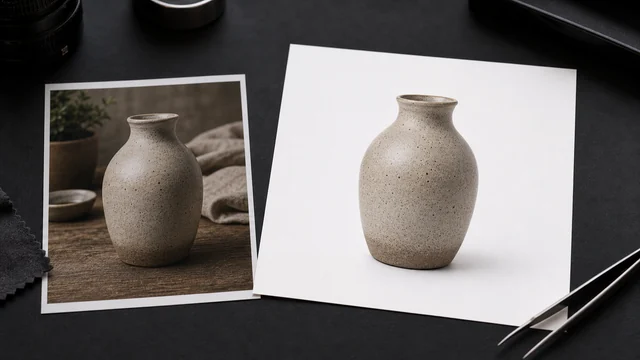
White background maker / product white-out
A white-background image cuts a product out of a busy background and replaces it with pure white — the hero-image requirement on Amazon, Taobao, Tmall and more. image cat uses AI to cut out the product and swap to white in your browser, with optional square centering and padding, in one click. Your image stays local; the AI model file may be fetched from a CDN.
Works best on people/subjects. Fine edges (hair, translucency) may have minor artifacts.
How to white background maker
- 1Drop a product image.
- 2Keep the white background (or pick a custom color); toggle “Square” and adjust padding.
- 3Click “Make white-background” — AI removes the background locally.
- 4Preview and click “Download” (JPG/PNG).
Why use image cat's White Background Maker?
- Local and private: product images stay on your device.
- E-commerce ready: pure white, square centering and padding match major marketplace hero-image rules.
- Free and batch-friendly: no per-image charge — good for large catalogs.
Once your product sits on clean white, you may want to show it in context — drop it into a free device or T-shirt mockup to see how the listing photo reads on a phone, mug or tee before you publish.
Frequently asked questions
Amazon, Taobao, Tmall, JD and others require a pure (or near-pure) white main-image background so products look clean and consistent across search and listings. This tool swaps to pure white in one click with optional square centering.
No image is uploaded. The AI cutout and background swap run in your browser after the model file is loaded.
Clear-outline products come out well; transparent glass, strongly reflective metal and fine fuzz may show minor edge artifacts — pair it with the Crop or Border tools to fine-tune.
Updated · image cat team
Sources, review and limits
Last verified
2026-06-17
Author
Image-Cat editorial team
Reviewer
Image-Cat tooling review
Primary sources
- Browser image decoding, Canvas and download APIs
- Common social, web and device image-size presets
- User-provided images processed locally
Compression and resizing can change quality, metadata and color. Keep originals and verify output before publishing or printing.