Bulk background remover — remove backgrounds from multiple images free
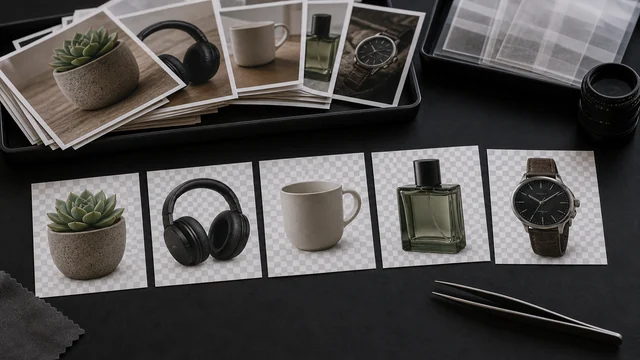
A bulk background remover strips the background from many images at once and gives you each as a transparent PNG. image cat runs the same in-browser AI model (MODNet) over your whole batch, one image after another — the model downloads once on the first image, then every following cutout is instant. When it's done, grab them all in a single ZIP. Your images stay in the browser; only the model file is fetched from a CDN. It's built for sellers on Etsy, Shopify, Poshmark and Printful who need to clean up dozens of product photos in one go.
Works best on clear subjects (people, products, pets). Fine edges (hair, translucency) may have minor artifacts. The whole batch runs locally in your browser — images are never uploaded.
Just one image? Use the single AI background remover →How to bulk background remover
- 1Drag in many images at once (clear subjects — products, people, pets — work best; you can keep adding more).
- 2Click “Bulk AI cutout” — the first image downloads a ~40MB model (cached after that, so the rest are instant).
- 3Watch the preview grid fill in as each background is removed; any failures are flagged and skipped.
- 4Click “Download all transparent PNGs (ZIP)” to grab the whole batch, or download any single result on its own.
Why use image cat's Bulk Background Remover?
- Whole batch in one pass: drop in dozens of images, set it once, and they all process — no uploading and downloading one at a time. This is exactly where per-image tools like remove.bg get expensive.
- Free and unlimited: local inference means no “credits used up,” no paywall for high-res, no per-image cost — bulk catalog uploads don't add up.
- Local and private: your entire batch of product shots or portraits stays on your device; the network request is for the reusable model file.
Frequently asked questions
There's no artificial cap. The limit is your device's memory and time — more and larger images take longer, and CPU mode is noticeably slower than GPU. Process in batches (say 20–50 at a time) and use a WebGPU browser (Chrome / Edge) for GPU acceleration.
No image is uploaded. The browser downloads the AI model from a public CDN, caches it, and processes the batch locally so private product shots stay on your device.
Tools like remove.bg charge per image or cap the free tier, and full-resolution results often need a subscription. image cat's bulk remover is completely free, unlimited, watermark-free and runs locally without uploading — for a seller cutting out dozens or hundreds of product photos, that's real money and privacy saved. The trade-off is a lightweight local model, so very fine hair and translucent edges can be slightly behind top cloud models.
When the batch finishes, click “Download all transparent PNGs (ZIP)” and image cat packs every transparent PNG into one ZIP. Filenames keep the original name with a -cutout suffix. You can also download any single image from the preview grid.
After removal, everything outside the subject is transparent, and only PNG (or WebP) supports an alpha channel, so the bulk remover always exports transparent PNGs. For a pure white e-commerce background use the White Background tool; for ID-photo blue/red backgrounds use the ID Photo tool.
Updated · image cat team
Sources, review and limits
Last verified
2026-06-17
Author
Image-Cat editorial team
Reviewer
Image-Cat tooling review
Primary sources
- Browser image decoding, Canvas and download APIs
- Common social, web and device image-size presets
- User-provided images processed locally
Compression and resizing can change quality, metadata and color. Keep originals and verify output before publishing or printing.