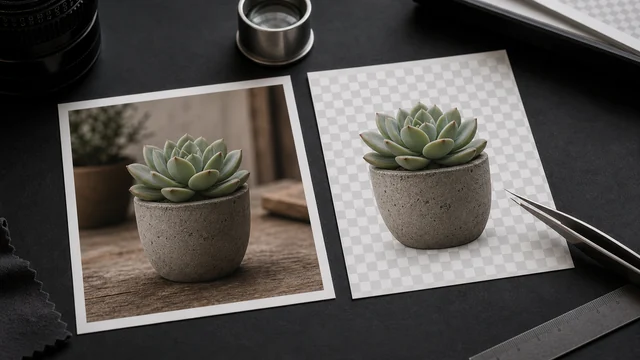
AI background remover / cutout
Background removal separates the subject from its background and erases the background. image cat runs an AI model (MODNet) locally in your browser to remove the background in one click and export a transparent PNG, accelerated by WebGPU with an automatic CPU fallback. The model file downloads once from a public CDN and is cached; your image stays on your device and inference runs in the browser.
Works best on people/subjects. Fine edges (hair, translucency) may have minor artifacts.
Doing many? Remove all backgrounds at once with the Bulk Background Remover →How to ai background remover
- 1Drop or pick one image (works best on people, products or pets with a clear subject).
- 2Click “AI cutout” — the first run downloads a ~40MB model (then cached for instant reuse).
- 3Wait for local inference and preview the transparent result.
- 4Click “Download” to save the transparent PNG.
Why use image cat's AI Background Remover?
- Local inference: the model file downloads, but your image stays on your device — something cloud cutout tools can't offer.
- Free and unlimited: no per-image charge or free-tier cap like many online removers.
- WebGPU accelerated: near-instant on supported browsers, with an automatic CPU fallback.
Frequently asked questions
The photo is not uploaded. The browser downloads the AI model from a public CDN, caches it, and then runs inference on your device.
The first use downloads a ~40MB AI model — usually seconds to tens of seconds depending on your connection. It's cached afterwards, so later runs are near-instant.
Great for clear subjects like portraits and products. Very fine hair, translucent objects and edges close to the background color may show minor artifacts — the trade-off of a lightweight local model in exchange for privacy and being free.
After removal, everything outside the subject is transparent, and only PNG (or WebP) supports an alpha channel. For a solid background, use the ID Photo or White Background tool.
Updated · image cat team
Sources, review and limits
Last verified
2026-06-17
Author
Image-Cat editorial team
Reviewer
Image-Cat tooling review
Primary sources
- Browser image decoding, Canvas and download APIs
- Common social, web and device image-size presets
- User-provided images processed locally
Compression and resizing can change quality, metadata and color. Keep originals and verify output before publishing or printing.